Chapter 4 of 1220 min
Move the player
- Game loop
- Player
- Platforms
- Level
- Camera
- Coins
- Enemies
- Online
In this chapter you will:
- make the player and the ground, as rectangles
- move the player with the arrow keys
- learn why the game redraws everything every frame
Two rectangles
Add a speed constant under HEIGHT:
SPEED = 5Then, just above running = True, make the player and the ground:
player = pygame.Rect(100, 320, 30, 40)
ground = pygame.Rect(0, 360, WIDTH, 120)
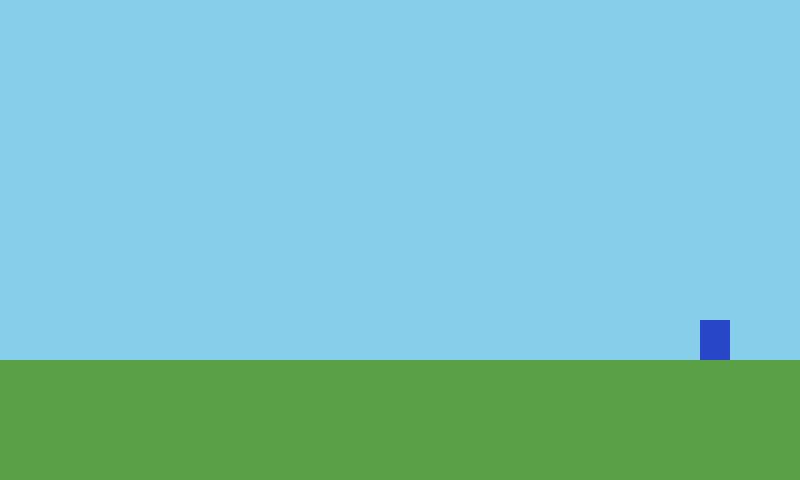
pygame.Rect(x, y, width, height): the player is 30 pixels wide and 40 tall, with its top-left corner at (100, 320). The ground starts at y = 360 and fills the bottom of the window. Since 320 + 40 = 360, the player's feet are exactly on top of the ground.
Move with the arrow keys
Replace the # 2. Update comment with:
    # 2. Update
    keys = pygame.key.get_pressed()
    if keys[pygame.K_LEFT]:
        player.x -= SPEED
    if keys[pygame.K_RIGHT]:
        player.x += SPEED
pygame.key.get_pressed() tells you which keys are held down right now. Every frame you hold the right arrow, the player moves 5 pixels right. A Rect lets you change player.x (and player.y) directly, and the rectangle moves.
Draw them
Replace the draw step, so the ground and the player are painted after the sky:
    # 3. Draw
    screen.fill((135, 206, 235))
    pygame.draw.rect(screen, (90, 160, 70), ground)
    pygame.draw.rect(screen, (40, 70, 200), player)
    pygame.display.flip()
    clock.tick(60)
pygame.draw.rect(screen, colour, rect) paints a rectangle. Order matters: things drawn later are painted on top, so the sky comes first.
python main.pyHold the right arrow.
You should see
Predict, then check
What will you see if you delete the line screen.fill((135, 206, 235)) and move the player?
Show answerHide answer
A long blue smear. Nothing clears the old pictures, so every frame's player stays on screen. That's why games repaint everything every frame: the sky first, which wipes out the last frame, then everything on top. Try it, then put the line back.
Practice
At the moment the player can walk straight out of the window. Stop it at the left and right edges. (Hint: a Rect also has left and right, and you can set them.)
Show a solution
Add this at the end of the update step:
    if player.left < 0:
        player.left = 0
    if player.right > WIDTH:
        player.right = WIDTH
In chapter 8 the level gets much wider than the window, and you'll remove these lines again.
Save your progress
git add .
git commit -m "Chapter 4: move the player"
Stuck, or want to compare? The finished code for this chapter is tagged ch04: run git diff ch04, or see it on GitHub.