Chapter 7 of 1230 min
Levels from text
- Game loop
- Player
- Platforms
- Level
- Camera
- Coins
- Enemies
- Online
In this chapter you will:
- draw a whole level as a list of strings
- turn the text into walls with a function and two loops
- design your own level by typing
Typing rectangles doesn't scale
Five walls are fine. A real level has hundreds, and working out pixel numbers for each would take all day. Games solve this with tiles: the world is a grid of equal squares, and you only say which squares are solid.
Pixel Run's tiles are 40 × 40 pixels. The window is 800 × 480, so it fits a grid 20 tiles wide and 12 tall. And a grid of letters is something you can simply type.
The level
Add a constant under HEIGHT:
TILE = 40Then, under the constants, add the level:
LEVEL = [
    "                    ",
    "                    ",
    "                    ",
    "                    ",
    "                    ",
    "                    ",
    "                    ",
    "   ###       ###   #",
    " P                 #",
    "########   #########",
    "########   #########",
    "########   #########",
]
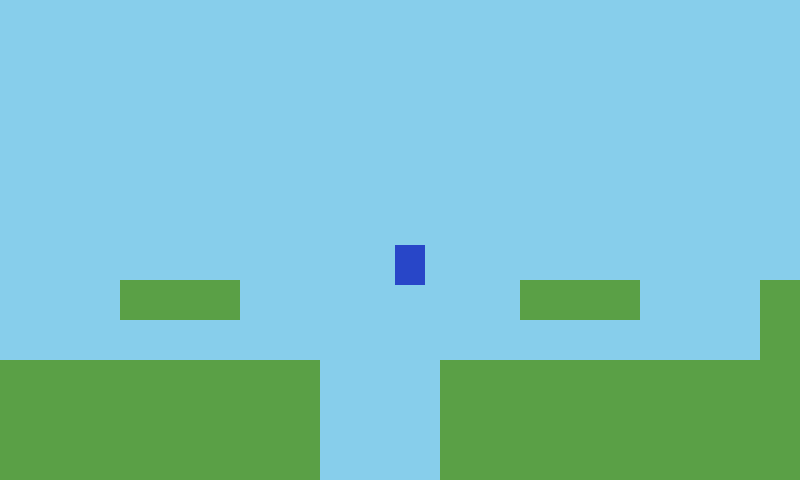
Each string is one row, and each character is one tile: # is a wall, P is where the player starts, and a space is empty sky. Every row must be the same length, here 20.
Turn text into walls
Add this function under LEVEL:
def load_level():
    walls = []
    for row, line in enumerate(LEVEL):
        for col, letter in enumerate(line):
            x = col * TILE
            y = row * TILE
            if letter == "#":
                walls.append(pygame.Rect(x, y, TILE, TILE))
            elif letter == "P":
                start = (x, y)
return walls, startenumerate(LEVEL)gives you each row together with its number: 0, 1, 2… The inner loop does the same for each letter in the row.- A tile's position is its column and row multiplied by the tile size. Column 3, row 7 is at
(120, 280): the first tile of the left platform. - The function returns two things at once: the list of walls and the start position.
Now replace the player = ... line and the whole walls = [...] list with:
walls, start = load_level()
player = pygame.Rect(start[0], start[1], 30, 40)
start is a pair (x, y), so start[0] is x and start[1] is y. Nothing else changes: the collision code from chapter 6 works on any list of walls.
python main.pyYou should see
Predict, then check
In which pixel position does the P put the player, and why does the player not fall at the start?
Show answerHide answer
P is in column 1 of row 8, so the start is (40, 320). The player is 40 pixels tall, so its feet are at 320 + 40 = 360, which is exactly the top of row 9, the first row of ground. It starts standing.
Practice
Change the level: add a platform, a wider gap, or a staircase of #s up to the top right. You don't touch any code, only the text. Keep every row 20 characters long.
Design tip: a jump rises 3 tiles, so the player can land on things up to 2 tiles higher than where it jumps from, and clear gaps up to 3 tiles wide. Leave space above the place you take off for a gap, or the player bumps its head and drops in.
Save your progress
git add .
git commit -m "Chapter 7: levels from text"
Stuck, or want to compare? The finished code for this chapter is tagged ch07: run git diff ch07, or see it on GitHub.