Chapter 9 of 1225 min
Coins and score
- Game loop
- Player
- Platforms
- Level
- Camera
- Coins
- Enemies
- Online
In this chapter you will:
- add coins to the level with a new letter
- pick them up when the player touches one
- show the score on the screen
Coins in the level
A coin is one more letter: C. Replace LEVEL with this version, which is the same level with 9 coins:
LEVEL = [
    "                                                            ",
    "                                                            ",
    "                                                            ",
    "                                                            ",
    "                              C  C                          ",
    "                              ####                          ",
    "            C C            CC           C C C               ",
    "            ###            ##                               ",
    "  P                        ##                               ",
    "######  ############  ############   #######################",
    "######  ############  ############   #######################",
    "######  ############  ############   #######################",
]
Load them
In load_level, make a second list and fill it. Coins are smaller than a tile, so each is a 16 × 16 rectangle in the middle of its tile:
def load_level():
    walls = []
    coins = []
    for row, line in enumerate(LEVEL):
        for col, letter in enumerate(line):
            x = col * TILE
            y = row * TILE
            if letter == "#":
                walls.append(pygame.Rect(x, y, TILE, TILE))
            elif letter == "C":
                coins.append(pygame.Rect(x + 12, y + 12, 16, 16))
            elif letter == "P":
                start = (x, y)
    return walls, coins, start
The function now returns three things, so the line that calls it needs three names:
walls, coins, start = load_level()And next to y_speed = 0, add the score:
score = 0Pick them up
At the end of the update step, add:
    # Coins
    for coin in coins[:]:
        if player.colliderect(coin):
            coins.remove(coin)
            score += 1
A coin the player touches is removed from the list, so it's no longer drawn or counted again.
Notice coins[:]: it loops over a copy of the list. Removing items from a list while you loop over that same list makes Python skip the item after each one you remove. Looping over a copy and removing from the original avoids that.
Draw the coins and the score
Text needs a font. Under clock = pygame.time.Clock(), add:
font = pygame.font.Font(None, 36)None means pygame's built-in font, so there's no file to download. 36 is the size.
In the draw step, draw the coins after the walls (as circles, with ellipse) and the score after everything else, so it's on top:
    for coin in coins:
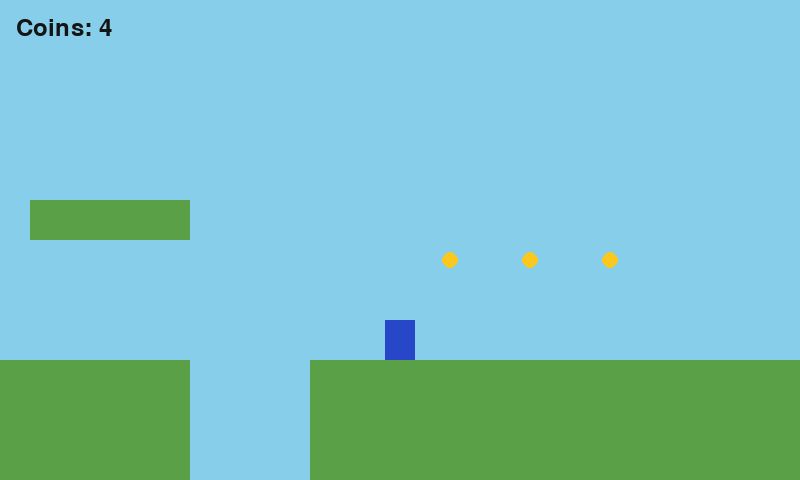
        pygame.draw.ellipse(screen, (250, 200, 30), coin.move(-camera_x, 0))
    pygame.draw.rect(screen, (40, 70, 200), player.move(-camera_x, 0))

    text = font.render("Coins: " + str(score), True, (20, 20, 20))
screen.blit(text, (16, 16))font.render(...)turns a string into a picture of that text.Truesmooths the edges.screen.blit(picture, (x, y))copies one picture onto another. The score isn't moved by the camera: it stays in the top-left corner, wherever you are in the level.
python main.pyYou should see
Predict, then check
Why does the score use str(score), and what happens if you write "Coins: " + score?
Show answerHide answer
score is a number, and Python won't join a string and a number with +. You get TypeError: can only concatenate str (not "int") to str, and the game stops. str(score) turns 4 into "4" first.
Practice
Show the total as well, like Coins: 4 of 9.
Show a solution
Remember the total right after loading the level:
walls, coins, start = load_level()
total_coins = len(coins)
Then draw it:
text = font.render("Coins: " + str(score) + " of " + str(total_coins), True, (20, 20, 20))You can't use len(coins) in the draw step, because the list gets shorter as you pick coins up.
Save your progress
git add .
git commit -m "Chapter 9: coins and score"
Stuck, or want to compare? The finished code for this chapter is tagged ch09: run git diff ch09, or see it on GitHub.