Chapter 1 of 1215 min
How games work
In this chapter you will:
- see the game you're going to build
- learn the one loop that runs every video game
- learn how a game describes positions on the screen
There's no code in this chapter. It gives you the three ideas the rest of the project is built on.
What you'll build
Pixel Run is a platformer: you run, jump across gaps, collect coins, stomp enemies and reach the flag.
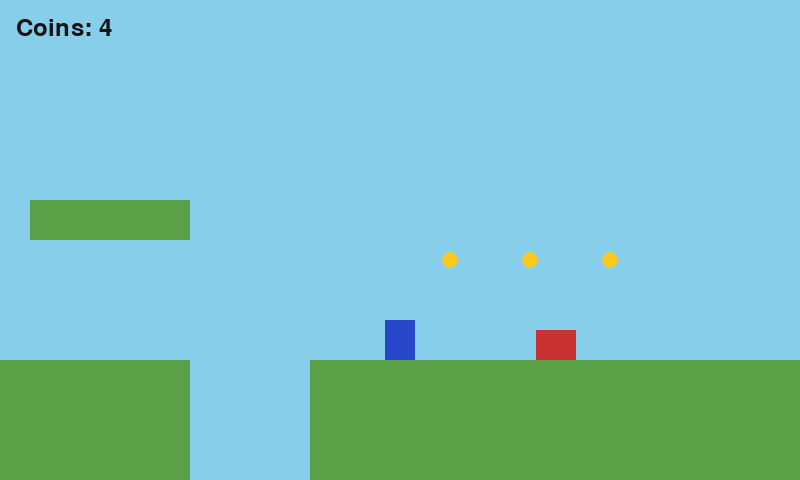
It's about 160 lines of Python, in one file, using pygame, the most popular library for making 2D games in Python. Everything is drawn with simple shapes, so you don't need any art. In chapter 11 you'll put it online, so anyone can play it in a browser by opening a link.
A game is a flipbook
A game doesn't really move anything. It draws a picture, then a slightly different picture, then another, about 60 times a second. Your eyes see movement, the way a flipbook's pages turn into a cartoon. Each picture is called a frame.
The game loop
Every game, from Pixel Run to the biggest console game, repeats the same three steps for every frame:
while the game is running:
    1. Input:  what did the player press?
    2. Update: move things, check what touched what, keep score
    3. Draw:   paint the new picture on the screen
That while loop is called the game loop. You'll write it in chapter 3, and every chapter after that adds a few lines to one of its three steps.
Predict, then check
Pixel Run will run at 60 frames a second, and the player moves 5 pixels each frame. How far does the player move in one second of holding the arrow key?
Show answerHide answer
5 × 60 = 300 pixels a second. Speeds in games are usually written per frame, like this, which is why keeping a steady 60 frames a second matters. You'll do that with one line in chapter 3.
Positions on the screen
The screen is a grid of tiny dots called pixels. Pixel Run's window is 800 pixels wide and 480 tall. A position is written as two numbers, (x, y):
xis how far from the left edge.yis how far from the top edge.
So (0, 0) is the top-left corner, and (800, 480) is the bottom-right. Unlike the graphs you drew at school, y gets bigger as you go down.
Predict, then check
The player is standing at y = 300 and jumps. While it goes up, does y get bigger or smaller?
Show answerHide answer
Smaller. Going up the screen means getting closer to the top edge, where y is 0. That's why the jump in chapter 5 uses a negative speed.
Everything is a rectangle
The player, each piece of ground, each coin and each enemy is a rectangle: a position plus a width and a height. pygame has a type for it, pygame.Rect(x, y, width, height), and it can answer the question every game asks over and over: do these two rectangles overlap? That's how you'll know the player has landed on the ground, hit a wall, picked up a coin or touched an enemy.
The parts you'll build
- Game loop: a window that stays open (chapter 3)
- Player: a rectangle you move, with gravity and jumping (chapters 4–5)
- Platforms: solid ground the player can't walk through (chapter 6)
- Level: the whole world drawn as text, and a camera that follows you (chapters 7–8)
- Coins and enemies: things to collect and avoid, a score, winning and losing (chapters 9–10)
- Online: your game in a browser, at a link you can share (chapter 11)
You need the Python basics: variables, if, loops, lists, dictionaries and functions. No game experience needed.